


MyDevoted
4.6123.00 Reviews
App Specs
- Version
- 1.0.8
- Updated On
- License
- Free
- Downloads
- 50,000+
- Developer
- Devoted Health, Inc.
- Categories
- Medical
- Platform
- Android
Screenshots
 Analysis by AppCompare
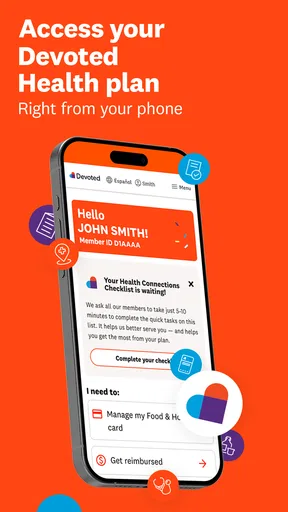
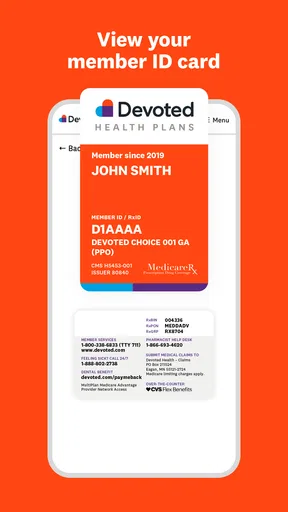
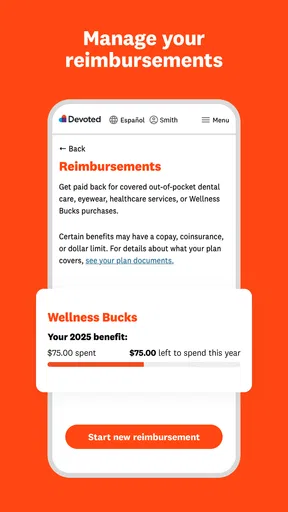
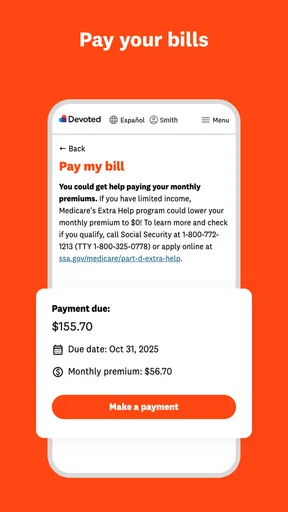
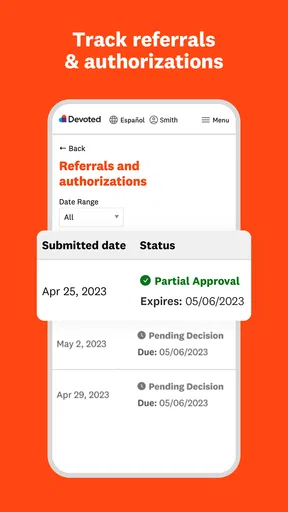
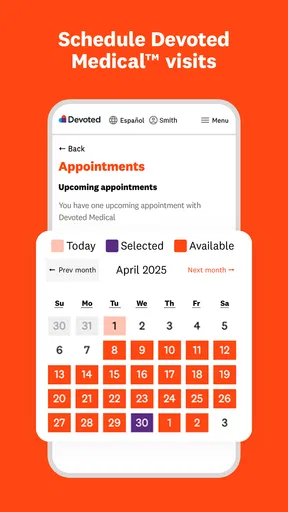
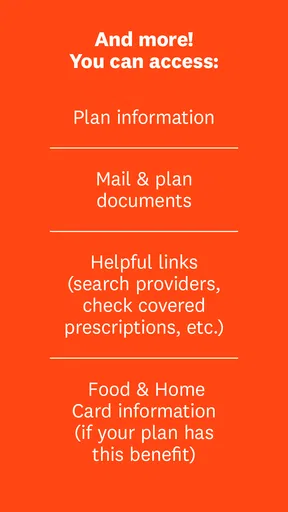
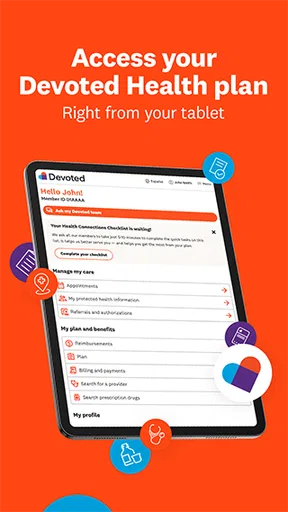
I’d treat MyDevoted as a practical health-plan companion, not as a general organizer or a replacement for speaking with a care professional. Its purpose is to help members handle Devoted benefits from a phone, so the first useful question is simple: are you already connected to Devoted Health? If so, this app may give you a more convenient place to start when you need to manage plan-related matters. If you are looking for a broad medical reference, appointment diary, or health-tracking tool, you will likely need a different app.
Who is likely to get the most from it
I can see the appeal for someone who wants to check in on their benefits without making every small task part of a phone call or a search through paperwork. It is especially relevant if you already use a smartphone comfortably and prefer handling routine account tasks at a time that suits you. The app is free, and its Everyone age classification makes it broadly accessible, though practical usefulness depends on being a Devoted member.
There is a useful distinction here: a member-facing benefits app is not the same thing as a provider directory, a symptom checker, or a place to get urgent medical advice. I would use MyDevoted for plan administration and keep the appropriate care provider or emergency service as the route for health concerns. That boundary matters because a convenient benefits tool should not be mistaken for clinical guidance.
A realistic first-day workflow
Imagine you are preparing for a routine appointment and want to sort out a plan-related question before you leave home. Rather than waiting until you are at the clinic, you could open the app, sign in, and look for the relevant benefit information or account task. If you find what you need, save the next step for yourself—such as noting a question to ask the office—so you are not trying to remember details while rushed. The value is less about a dramatic feature and more about having a member-focused starting point on hand.
For a first visit, I would keep the process deliberately small. Install the app, use the sign-in path intended for your Devoted account, and confirm that you can reach the part of the app relevant to your immediate need. Avoid trying to explore every menu at once. A single successful action—finding the information you came for or completing a straightforward account task—will tell you more about whether the app fits your routine than an aimless tour.
How it fits beside other healthcare tools
Compared with a general health app, MyDevoted has a narrower job: it is tied to benefits from Devoted Health rather than trying to organize every part of your medical life. That focus can be an advantage if you want a direct route to plan-related tasks, since a general wellness app may not help with member administration. On the other hand, people who want medication tracking, personal health records, or care-provider messaging should not assume those are part of this experience; they should choose a tool designed for those purposes.
It also differs from relying on printed plan documents or calling for every question. A phone app can be easier when you are away from home or want to check something at a convenient moment, while a representative may be the better choice when your situation is unusual or the answer needs explanation. I would treat the app as a first stop for routine matters, not as proof that every complicated issue can be settled without help.
Worth Reading Before You Choose

EA SPORTS FC Mobile 26 Is a Bigger Football Game, but It Takes Time

Flipboard Shows What News Apps Must Do Beyond the Feed

Switching to Android Auto Means Rethinking Your Driving Routine

Google Calendar Makes a Crowded Week Easier to Manage

Ludo King Makes the Most of the Minutes Between Plans

Baby Panda World Brings Quick Play to Modern Phones, but Its Game Library Feels Busy
Small habits that make it more useful
One practical tip is to open the app before you are under pressure. If you wait until you are standing at a counter or trying to resolve something quickly, sign-in friction or uncertainty about where to go can feel worse. A calm first session gives you time to learn the basic route and decide what information you want at hand. For privacy, use your own device when possible and avoid leaving a member account open on a shared phone.
Another helpful habit is to separate what the app can answer from what you need to ask a person. If a benefit detail is clear, you can use that information to plan your next step. If it is ambiguous or your circumstances do not fit the ordinary case, contact the appropriate support channel rather than guessing. This is a modest but important trade-off: self-service is convenient when the task is clear, while a human conversation is safer for exceptions.
What to expect from the app itself
MyDevoted is a medical-category app made by Devoted Health, Inc. It has a 4.7 average from around 190 ratings, with over 50,000 installs, which suggests that many members have found it worth trying. I would not read those figures as a guarantee that every account task will feel effortless; health-plan needs differ, and the best test is whether the app supports the particular routine you want to handle.
The current release is version 1.0.8, and the app was released on October 28, 2025. It supports Android 7.0 and later. Those details are useful when deciding whether an older phone can run it, but they do not tell you how quickly a particular device will behave. If installation is available but the experience feels sluggish, check that your phone has enough free space and that its operating system is supported before assuming the account itself is the problem.
For a first-time user, the question I would ask before installing is not whether this can replace every other healthcare interaction. It is whether having a mobile route to Devoted benefits would save you effort often enough to justify keeping it. If you regularly manage plan matters from your phone, that is a reasonable case. If you rarely need member services or strongly prefer paper and phone support, the app may stay unused.
Ever stumbled upon an app that makes you wonder how you managed without it? Well, that's exactly what happened to me with MyDevoted. This nifty little app has quickly become my go-to for organizing my daily tasks and keeping everything in check. If you're someone who loves staying on top of things but often finds yourself overwhelmed, then stick around—this app might just be what you need.
Getting Started with MyDevoted
Installing MyDevoted was as easy as pie. A quick download from the App Store, and I was in. The app greets you with a sleek, intuitive interface that feels welcoming right from the start. No complicated setup or lengthy tutorials—just jump in and start exploring.
What caught my attention immediately was the app's simplicity. It's designed to be user-friendly, whether you're tech-savvy or not. The app essentially revolves around three main features: task management, reminders, and notes. Let's dive into each one.
Task Management
The task management feature is where MyDevoted shines. You can create tasks, set priorities, and even categorize them. The categorization helps keep your personal and professional life separate, which is a lifesaver for someone like me who juggles multiple roles.
Adding tasks is a breeze. You can set deadlines and even add subtasks if needed. The best part? The app sends you notifications to remind you of upcoming deadlines. No more missed tasks or last-minute rushes!
Reminders to Keep You on Track
If you're a forgetful soul like me, the reminder feature will be your best friend. You can set reminders for anything—meetings, birthdays, or even watering your plants. The reminders are customizable, allowing you to choose when and how often they pop up. It's like having your own personal assistant!
Notes: Jot Down Your Thoughts
Sometimes, you just need a place to jot down random thoughts or ideas, and that's where the notes feature comes into play. It's simple yet effective. You can organize your notes by tags, making it easy to find them later. Whether it's a grocery list or a sudden burst of inspiration, you've got a place to store it.
MyDevoted also offers a search function, making it easy to find tasks, reminders, or notes with just a few taps. It's a small detail, but incredibly useful when you're in a hurry.
Why MyDevoted Stands Out
There are countless productivity apps out there, so what makes MyDevoted stand out? For me, it's the seamless integration of its features. Everything you need is in one place, and it's designed to work together harmoniously. The app isn't cluttered with unnecessary features, which makes it quick and easy to use.
Another highlight is the app's customization options. You can tweak the settings to suit your preferences, from theme colors to notification tones. It feels personal, and that's something I really value in an app.
The developers also seem to be quite committed to improving the app. Regular updates bring new features and improvements, showing that they're listening to user feedback. It's refreshing to see an app that's genuinely evolving over time.
Final Thoughts
In a world where staying organized can feel like a monumental task, MyDevoted is a breath of fresh air. It's a straightforward, reliable app that does exactly what it promises. If you're looking for a productivity app that keeps things simple yet effective, give it a try. You might find yourself wondering how you ever managed without it.
Pros
- User-friendly interface with intuitive navigation.
- Wide range of features for detailed tracking.
- Customizable alerts and notifications.
- Secure data encryption for privacy protection.
- Seamless integration with other health apps.
Cons
- Limited free version features.
- Requires constant internet connection.
- Occasional sync issues with devices.
- Some features locked behind paywall.
- Battery usage can be high with continuous use.
FAQs for MyDevoted
What is MyDevoted and what does it offer?
MyDevoted is a comprehensive app designed to help individuals manage their daily tasks and personal goals efficiently. It offers features such as task scheduling, goal tracking, and personalized reminders. The app aims to improve productivity by providing a user-friendly interface that helps users stay organized and focused.
Is MyDevoted free to use or does it require a subscription?
MyDevoted offers a free version with basic features that are suitable for casual users. However, for advanced functionalities like in-depth analytics and customizable themes, a subscription is required. The premium version provides an ad-free experience and additional tools to enhance productivity.
On which platforms is MyDevoted available?
MyDevoted is available on both Android and iOS platforms, ensuring accessibility to a wide range of users. It can be downloaded from the Google Play Store and the Apple App Store, making it convenient for users to install and start using the app immediately.
Does MyDevoted require an internet connection to function?
While MyDevoted can be used offline for most basic tasks, such as viewing and editing existing tasks and goals, certain features like cloud backup and data synchronization require an internet connection. This ensures that your data is consistently updated across devices.
How does MyDevoted ensure user data privacy and security?
MyDevoted employs robust security measures to protect user data, including encryption and secure cloud storage. The app adheres to strict privacy policies, ensuring that personal information is not shared with third parties. Users also have control over their data, with options to manage privacy settings within the app.


